
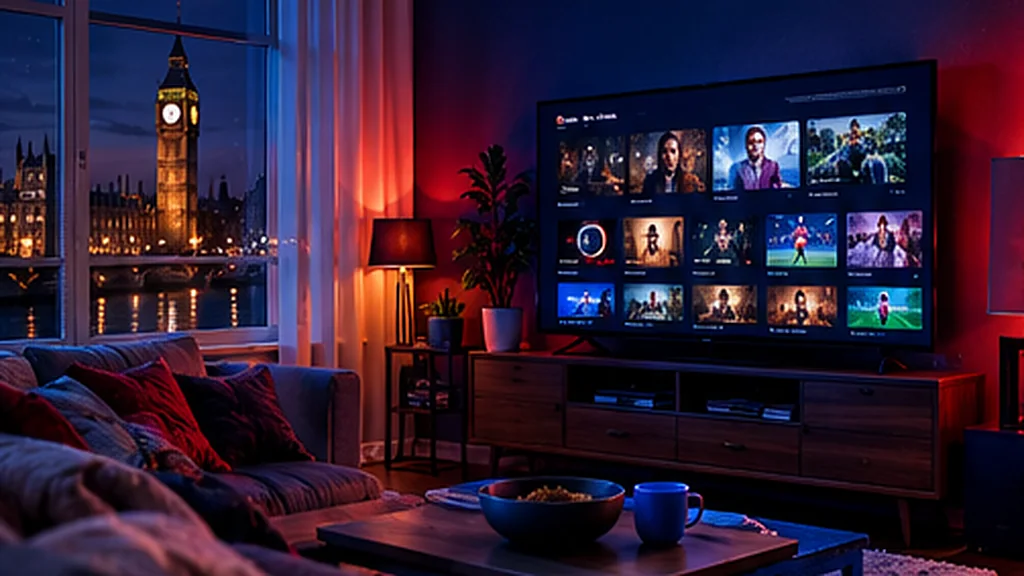
More and more British households are swapping the satellite dish and the 18-month contract for an IPTV subscription. Instead of a box under the telly, you stream live channels, films and box sets over the broadband you already pay for – on the TV, stick, phone or laptop you already own.
This guide explains how IPTV works in the UK, what you need at home, what a fair price looks like and how to choose an IPTV provider you can actually rely on.
What Is IPTV, in Plain English?
IPTV stands for Internet Protocol Television. Rather than arriving through an aerial, a dish or a cable, TV channels are delivered as a stream over the internet. You open an IPTV player app, log in, and you get a familiar channel list with a TV guide – plus a library of films and series to watch on demand.
The technology itself is nothing new or exotic. Many of the biggest British broadcasters already deliver their own channels and catch-up services this way.
Why British Viewers Are Switching to IPTV
- No installation. No engineer appointment, no dish on the front of the house, no drilling.
- No long contract. Pay for 3, 6, 12 or 24 months up front – no mid-contract price rises.
- Every screen. Watch on Smart TVs, Firesticks, Android boxes, MAG boxes, iPhones, iPads and computers.
- Huge choice. UK entertainment, live sport, news, kids’ channels and international channels in one place.
- Better value. A good British IPTV service usually costs a fraction of a traditional pay-TV bundle.
What You Need at Home
1. A decent broadband connection
As a rule of thumb, allow around 10–15 Mbps for HD and 25 Mbps or more for 4K, per screen that’s streaming at the same time. Most UK fibre packages manage this comfortably. Our broadband speed guide explains how to test yours properly.
2. A compatible device
Popular choices in the UK are the Amazon Fire TV Stick, Samsung and LG Smart TVs, Android TV and Google TV, Android boxes and MAG boxes. You can also watch on an iPhone, iPad, Android phone or tablet, or a Windows PC or Mac.
3. An IPTV player app
Your provider gives you login details – usually a username, password and server URL (Xtream Codes) or an M3U playlist link. You enter them in an IPTV player app such as IPTV Smarters Pro, TiviMate or a similar app. A good provider tells you which app suits your device.
How to Choose the Best IPTV Provider in the UK
Not every IPTV service is equal. Before you pay, check these six things:
- A free trial. You should be able to test the service on your own broadband and devices first. UK Pro TV offers a free 48-hour trial with no card.
- Reliability at peak times. Saturday afternoons and big match nights are the real test. Look for a stated uptime – ours is 99.9%.
- A proper TV guide. An EPG (electronic programme guide) makes live TV feel like normal telly.
- Clear, fixed pricing. No hidden fees, no auto-renewal surprises.
- Real support. Can you message a person on WhatsApp or email and get an answer in minutes?
- A fair refund policy. If it won’t work on your device, you should get your money back.
What Does an IPTV Subscription Cost in the UK?
Prices vary a lot between providers. At UK Pro TV every plan includes the full service:
| Plan | Price | Per month |
|---|---|---|
| 3 months | £29 | £9.67 |
| 6 months | £39 | £6.50 |
| 12 months | £49 | £4.08 |
| 24 months | £79 | £3.29 |
Longer plans work out much cheaper – up to 65% less than buying 3-month plans back to back. See all the details on our pricing page.
Try UK Pro TV free for 48 hours
32,000+ live channels and 200,000+ films and series on your own devices. No card, no contract, no auto-renewal.
How to Get Set Up in Minutes
- Claim your free trial or choose a plan on WhatsApp or by email.
- Tell us your device – we send your login and the right setup steps.
- Install the recommended IPTV app and enter your details.
- Wait a few seconds for the channels and TV guide to load, then start watching.
Our device guides walk you through every step: Firestick, Samsung & LG Smart TV, Android TV, iPhone & iPad, Windows & Mac and MAG box.
Is IPTV Legal in the UK?
IPTV as a technology is perfectly legal – it’s simply a way of delivering TV. What matters is that the content is properly licensed. Remember too that in the UK you need a TV Licence to watch or record live TV on any channel, or to use BBC iPlayer, however you receive it.
The Bottom Line
A good IPTV subscription gives British viewers more choice, more flexibility and better value than a traditional pay-TV contract. Test before you buy, check the support and the refund policy, and make sure your broadband is up to the job.
Ready to see the difference? Start your free 48-hour UK Pro TV trial – no card, no contract, no auto-renewal.
Leave a Reply